


Most Windows users waste hours editing their screen recordings—here’s how to skip the hassle with Rapidemo.
(the link is in comments)
I'm testing out Rapidemo to see how Claude's new "Create&Edit styles" work.
Here's what makes Rapidemo special:
➤ It Makes Videos Look Great By Itself
↳ Follows your mouse around.
↳ Zooms in when you click.
↳ No need to edit your videos.
➤ Easy to Use Tools
↳ Add your face with a webcam.
↳ Record your voice.
↳ Get subtitles with one click.
What I Like Most:
I use Rapidemo to make video about Claude.
The videos look super neat without me doing extra work!
If you want to change anything, there's a simple editor you can use.
Remember: This only works on Windows users!
It is an even better alternative for Mac users that use ScreenStudio.
Quick Question: What do you use to record your screen?
P.S.
Claude writes this post.
What is cool is that Claude even remembered my symbols and the way I formatted my posts.

Loom vs Rapidemo
Loom and Rapidemo are built for different jobs. Loom is great for quick internal updates you record and send in seconds. Rapidemo is for videos you'll publish: tutorials, product demos, course lessons and launch videos, with automatic zoom animations, cursor smoothing and local, privacy-focused processing. Here is how Rapidemo compares to Loom.Free to record and edit. License unlocks export.
Rapidemo is built for Windows
Get a download link sent to your email for when you're back at your computer.
Rapidemo automates editing and animation
With Rapidemo, you can create engaging, professional-looking videos quickly and without editing skills. It automatically adds zoom animations on clicks, smooths the cursor and exports multiple aspect ratios without re-editing.
Turn clicks into zoom effects
Rapidemo automatically adds zoom animations based on clicks in your recording to make your videos more engaging and easy-to-follow.
Smooth cursor following
Shaky mouse movement is automatically turned into a smooth glide to add polish and make your video beautiful and pleasant to watch.
Multiple layouts in one video
Cut your recording and select a layout like side-by-side or camera overlay for each clip. Layout transitions are animated automatically.
Horizontal, vertical and square video
Preview and export different aspect ratios with one click. Rapidemo automatically updates your screen and camera recordings and all animations, no adjustments needed.
Customize your video for maximum impact
Rapidemo's easy-to-use timeline editor lets you quickly change the background, make the cursor bigger, reposition the camera, choose from animated layouts and much more. Rapidemo does the heavy lifting for you, no professional editing skills required.
Video background and padding
Add your style and branding by changing the video background to a wallpaper, photo, gradient or solid color. Change the size of the recording by applying padding.
Change cursor size after recording
Make your video more accessible by increasing the cursor size and choose a theme that fits your content. With Rapidemo, you can change the pointer size and color after recording.
Camera position and size
Customize how your camera overlay appears in the video. You can reposition the camera, change its size and choose from a variety of layouts, like split-screen and camera overlay.
Quick, powerful editing
Rapidemo edits and animates your video for you. In the editor you can tweak just about everything to your liking without needing editing skills.
Free to record and edit. License unlocks export.
Rapidemo is built for Windows
Get a download link sent to your email for when you're back at your computer.
Rapidemo and Loom comparison
Compare both tools side by side and see which fits your use case.
|
|
Loom | |
|---|---|---|
| General | ||
|
Privacy-focused recording, editing and exporting
|
||
| Recording | ||
|
Record screen, area or window
|
||
|
Record camera and microphone
|
||
|
Speaker notes
|
||
| Editing | ||
|
Automatic zoom animations on click
|
||
|
Cursor smoothing
|
||
|
Change cursor size after recording
|
||
|
Reposition camera after recording
|
||
|
Change the background after recording
|
||
|
Transcribe audio
|
||
|
Animated subtitles
|
||
|
Split-screen, overlay and fullscreen layouts in one video
|
||
|
Camera zoom
|
||
| Exporting | ||
|
Landscape, portrait and square video without re-editing
|
||
|
Private on-device exports to MP4
|
Rapidemo covers all 15 categories in this comparison, including 11 Loom doesn't.
When Loom is the better fit
Loom and Rapidemo solve different problems. Pick Loom if:
- You record disposable internal messages like bug reports, code walkthroughs, design reviews, and status updates that you want to send in seconds.
- You need an instant shareable link with no render step, plus viewer reactions, comments, and emojis on the video itself.
- You're embedded in the Atlassian ecosystem (Jira, Confluence), where Loom recordings embed natively into issues and pages.
- You're building an HR, onboarding, or internal knowledge library where the social and analytics layer matters more than editing polish.
If you're making videos you'll publish (tutorials, product demos, course lessons, launch videos) and want automatic zoom, cursor smoothing, and cinematic layouts, Rapidemo is built for that.
Loom alternative for polished videos: FAQ
Common questions about using Rapidemo instead of Loom for published video.
What is the best Loom alternative for polished product videos?
How is Rapidemo different from Loom?
Does Rapidemo work on Windows like Loom?
Can I try Rapidemo for free?
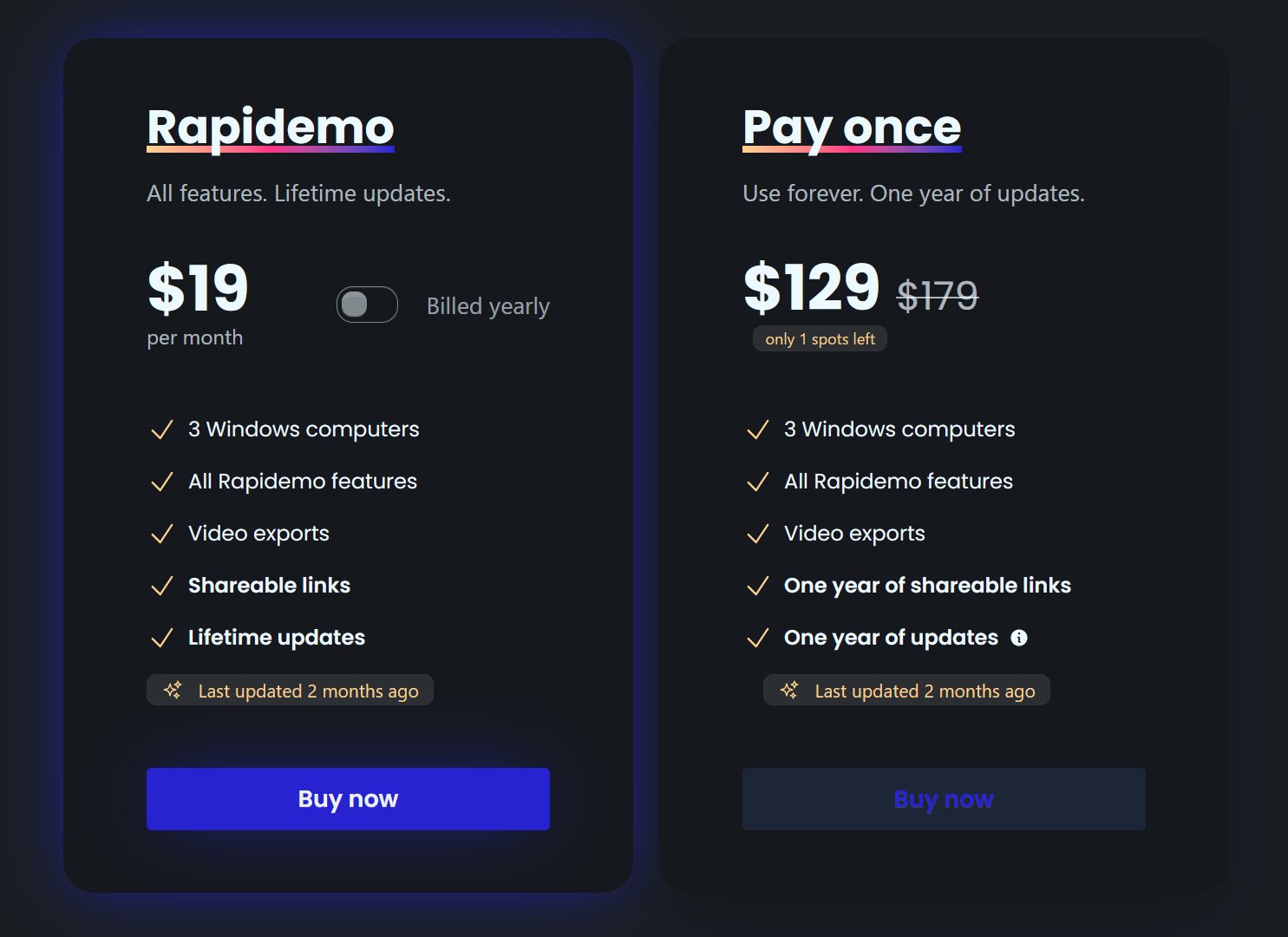
How much does Rapidemo cost?
Can I get a refund?
Keep exploring
ScreenPal vs Rapidemo
Compare Rapidemo to ScreenPal, the closest cross-platform all-in-one with built-in hosting.
Camtasia vs Rapidemo
Compare Rapidemo to Camtasia on auto-zoom, editing, pricing, and more.
Best screen recorders for Windows
A ranked list of Windows screen recorders, each best at a different job.
Best Screen Studio alternatives
Screen Studio is macOS only. See five alternatives ranked by use case.
What Rapidemo users are saying
900+ creators record their screen with Rapidemo. Here is what they say about it.
Really great app, perfect for making slick screen recording videos.
This v1.33.0 update really rocks! I most like the option to browse to the location for the export. Using this feature makes it much easier for me to collect and track project videos.
excellent outil bravo ! très niché très utile, vite on récupère la valeur business !! :)
Rapidemoめっちゃよかったから課金はしようと思うんだけど、買い切りにするか悩むねえ
使うときだけ毎月課金がお得なのは理解してるんだけど、俺は買い切りって言葉に弱えんだ
rapidemo is the sauce for windows
After trying others, I can say there’s no real alternative to Rapidemo
nice. Rapidemo is nuts