
Free tools for beautiful screen content

Small browser tools from the makers of Rapidemo. No sign-up, nothing to install, and your files never leave your computer.

Free to record and edit. License unlocks export.

Rapidemo is built for Windows

Get a download link sent to your email for when you're back at your computer.

Check your inbox for your download link.

Just one email, no spam. Download for Windows.

Frequently Asked Questions

Still got questions? Get in touch.

What is Rapidemo?

Rapidemo is an automatic screen recording app for Windows 10 and 11. It records your screen, cursor, camera, and microphone, then automatically adds zoom animations on clicks, smooths the cursor, generates subtitles, and applies cinematic layouts.
The result: a single take becomes a polished video ready to publish, without professional editing skills. Built for creators, founders, and agencies producing tutorials, product demos, launch videos, and client deliverables.

What makes Rapidemo different from other screen recording tools?

Rapidemo captures more than just your desktop.
It records your screen without the cursor and tracks mouse interactions separately. After the recording, the data is combined and a custom cursor is overlaid on the video.
The tracked mouse data lets Rapidemo create effects and animations based on clicks and cursor movements, automatically. It also enables many cursor customization options in the editor.
Conventional screen recording software captures the screen, including the mouse cursor, requiring professional post processing and editing skills to customize the cursor and animate mouse events.

Can I try Rapidemo?

Yes. You can try all features, just download Rapidemo. To export your recorded video you'll need a license.

What Windows versions does Rapidemo work on?

Rapidemo was tested on Windows 10 and 11. It might work on earlier versions too. If you run into problems we're happy to refund you within our refund policy. ARM64 is currently not officially supported.

Can I record anything on my desktop or just my browser?

Rapidemo is a standalone app. This means that you can record anything on your desktop. This could be the entire screen or a specific window. Optionally, you can record your webcam and microphone too.

Does my lifetime license expire after a year?

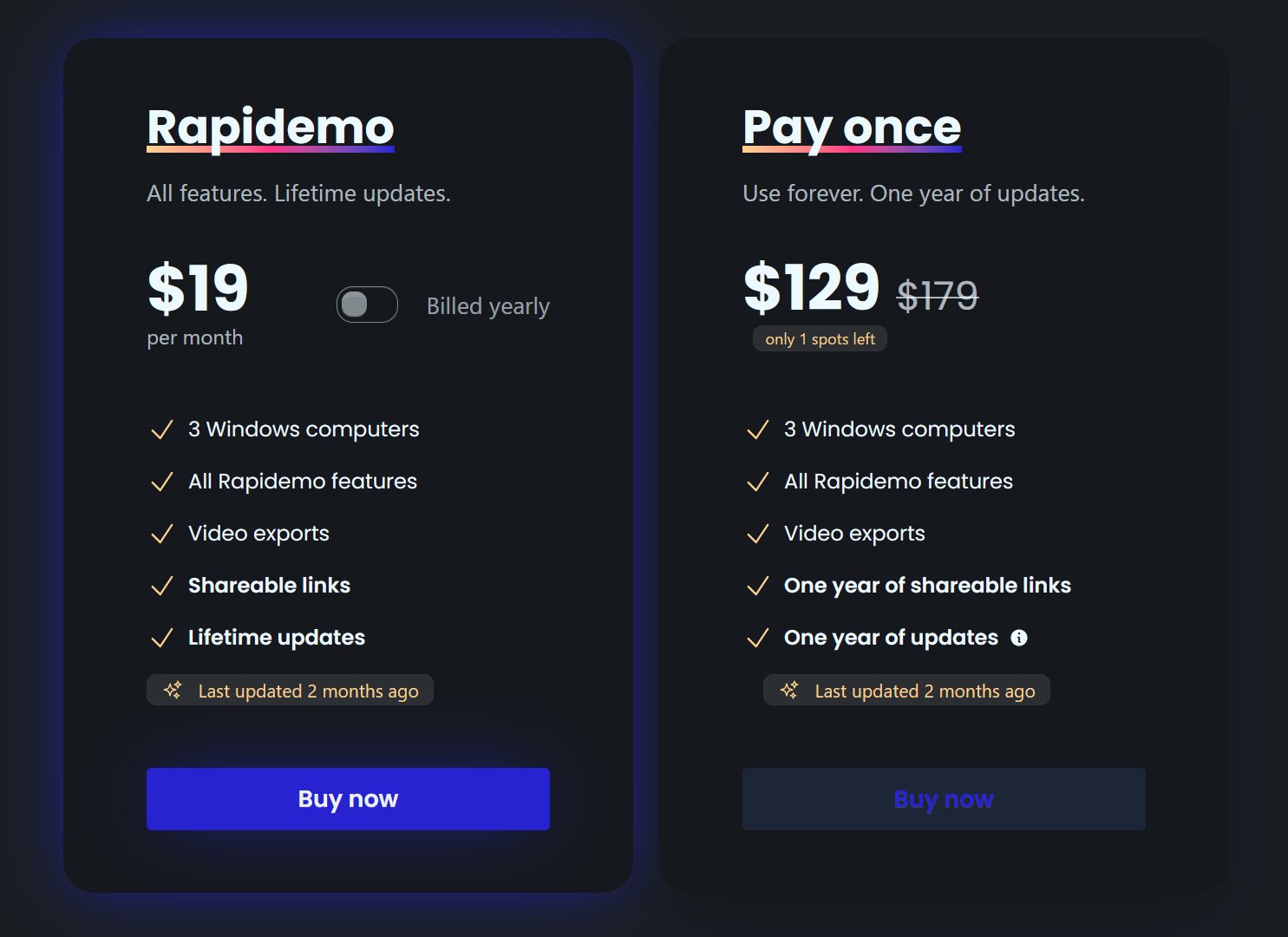
No. After purchasing a license, you can use Rapidemo forever. You'll receive updates until one year from the purchasing date. After that you can still use Rapidemo as-is, you'll just miss out on any new features.

What file format are videos exported to?

Rapidemo exports MP4 videos and automatically chooses the best bitrate settings for the chosen aspect ratio, resolution and frame rate.

Is there a student discount?

Yes. There is a 40% educational discount, valid for both lifetime and subscription access. Discounts on subscriptions are capped to one year.
If you have an email address from your university or educational institution you can request a student discount here.
Don't have a university email address? Just send an email with proof of your student status (e.g. student ID) and the type of license you're looking to purchase (monthly or yearly subscription, lifetime license) to tim@getrapidemo.com. I'll get back to you with a discount code shortly.

Who is Rapidemo designed for?

Rapidemo is designed for anyone who wants to create standout screen recordings.
Rapidemo goes beyond conventional screen recording software. It automatically applies animations to create beautiful, easy to follow and engaging videos and includes powerful, yet easy-to-use editing and design tools that don't require professional editing skills.
It's a great choice for creators looking to record tutorials, online courses, product demos, team updates, presentations, how-to videos, onboarding videos, investor updates, community updates, sales videos, promotional content, educational videos and more.

Can I get a refund if I'm not satisfied?

Feel free to ask for a refund of your lifetime license (pay once) purchase within 7 days. If the product doesn't meet your expectations, inform us, and we'll promptly reimburse your purchase.
Subscriptions and lifetime license renewals are non-refundable.

How do I add my VAT number or update my invoice details?

You can manage your billing through the Paddle customer portal. Sign in with the email you used at checkout and Paddle emails you a secure link.
From there you can add or edit your invoice details (full name, company name, VAT or tax ID, and billing address), download past invoices, update your payment method, and manage or cancel your subscription.
Invoice details can only be edited once, so double-check everything before saving.

Are there versions for macOS and Linux?

Rapidemo is currently built for Windows 10 and 11. macOS and Linux support is under evaluation, with no committed timeline yet.
Using macOS today? Check out the excellent Screen Studio.

Is my recording sent to the cloud?

No. Recording, editing, subtitle generation and video processing happens locally on your computer. Rapidemo only sends license-related data and basic error reports to the server. Error reporting helps us create a better user experience and improve Rapidemo. You can opt out of error reporting at any time in the app.

Can I renew my lifetime license to receive updates after expiration?

Yes. Renewals are available for $99. Renew to receive the latest updates for another year or continue using your existing version forever.

I paid but never got my license key. What now?

After checkout we email a link to set up your account. Your license key is inside the account, not in the email.
Check your spam folder first. If the email is not there, request a new setup link. It goes to the address you paid with, so use that one.
Already set up your account? Log in and your keys are under Licenses.

Do I need a new license if I switch computers?

No. To move a license, log in, unlink the key, then activate it again on the other computer. You only need a second license if you want to use Rapidemo on both at once.

Do I need admin rights to install Rapidemo?

No. You should be able to install Rapidemo without admin rights. If you're in doubt, download Rapidemo for free and see if it works with your setup.

What Rapidemo users are saying

900+ creators record their screen with Rapidemo. Here is what they say about it.

Headshot of Sabahudin Murtić
Sabahudin Murtić AI Strategy & Implementation Partner
Most Windows users waste hours editing their screen recordings—here’s how to skip the hassle with Rapidemo.

(the link is in comments)

I'm testing out Rapidemo to see how Claude's new "Create&Edit styles" work.

Here's what makes Rapidemo special:

➤ It Makes Videos Look Great By Itself
↳ Follows your mouse around.
↳ Zooms in when you click.
↳ No need to edit your videos.

➤ Easy to Use Tools
↳ Add your face with a webcam.
↳ Record your voice.
↳ Get subtitles with one click.

What I Like Most:
I use Rapidemo to make video about Claude.

The videos look super neat without me doing extra work!
If you want to change anything, there's a simple editor you can use.

Remember: This only works on Windows users!
It is an even better alternative for Mac users that use ScreenStudio.

Quick Question: What do you use to record your screen?

P.S.

Claude writes this post.
What is cool is that Claude even remembered my symbols and the way I formatted my posts.

G
George
Really great app, perfect for making slick screen recording videos.
JC
Joe Cornell
This v1.33.0 update really rocks! I most like the option to browse to the location for the export. Using this feature makes it much easier for me to collect and track project videos.
AB
Abdesselam Belkhiri
excellent outil bravo ! très niché très utile, vite on récupère la valeur business !! :)
Headshot of ととしま
ととしま @toyoshima_dev
Rapidemoめっちゃよかったから課金はしようと思うんだけど、買い切りにするか悩むねえ
使うときだけ毎月課金がお得なのは理解してるんだけど、俺は買い切りって言葉に弱えんだ
Headshot of aron
aron @designbyaron
rapidemo is the sauce for windows
S
Sahand
After trying others, I can say there’s no real alternative to Rapidemo
HS
Harry Symons