Best Camtasia alternatives for Windows in 2026

Camtasia is a capable editor, but a heavy one built around a manual timeline. If you want a lighter or more automatic way to make polished screen videos on Windows, here are the five best alternatives, each ranked for the job it does well.
01

Rapidemo

Our pick
Best for Polished demos and tutorials on Windows, without manual editing
Platforms Windows 10 and 11
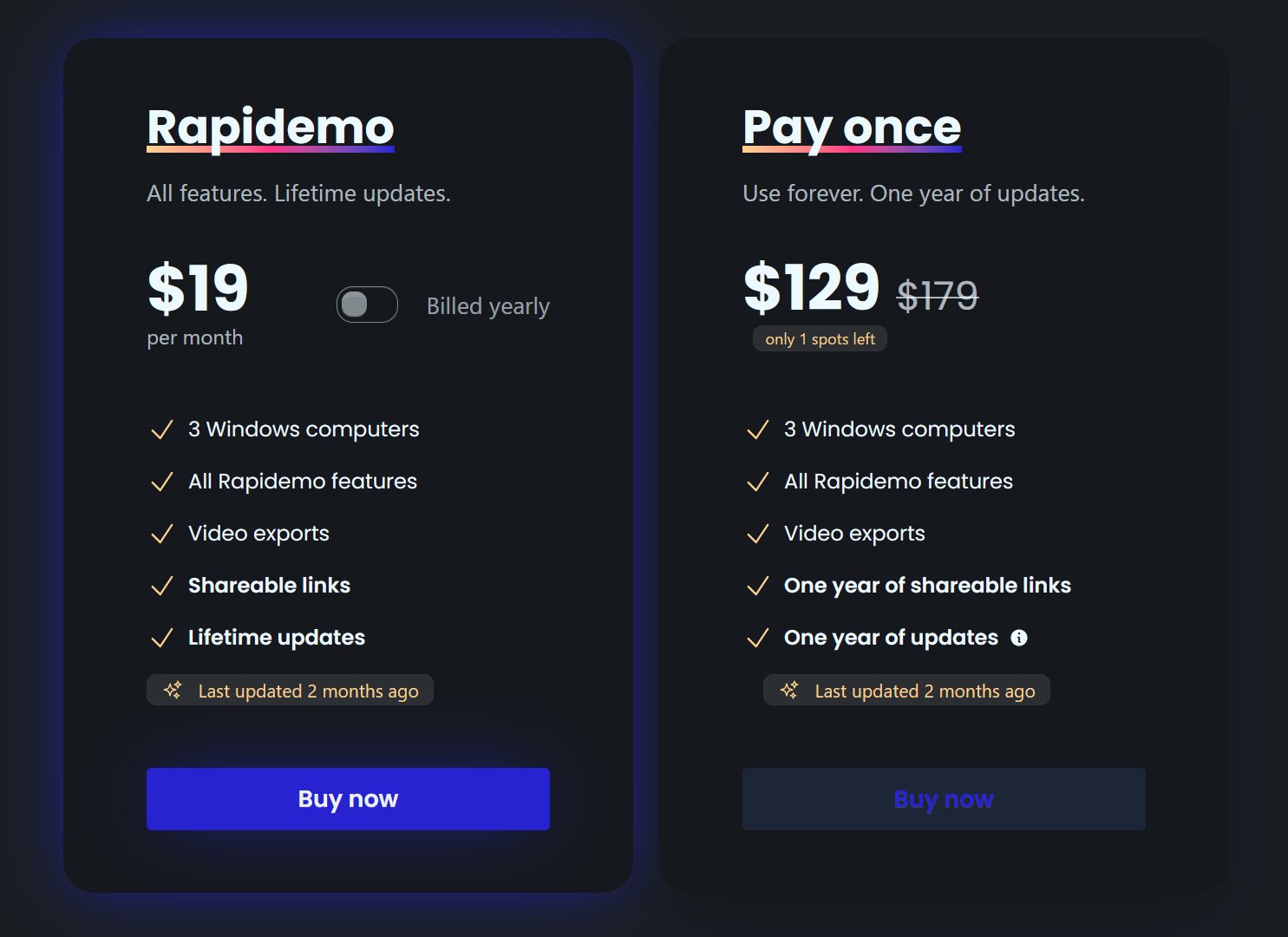
Pricing $108/year, $19/month, or $199 lifetime

Rapidemo is the easiest Camtasia alternative when your goal is a polished screen video, not a hand-built edit. Where Camtasia hands you a full multitrack timeline to assemble, Rapidemo records once and adds the polish for you: it automatically zooms in on clicks (auto-zoom), smooths the cursor, generates subtitles in one click, and applies cinematic layouts. You can then fine-tune everything in a simple timeline, skip the heavy editing, and still get a professional result on Windows 10 and 11.

Pros

  • Automatic zoom animations and cursor smoothing, no manual keyframing
  • One-click subtitle generation with editable timing and styling
  • Cinematic layouts per clip (fullscreen, side-by-side, camera overlay)
  • Try every feature free; a license unlocks export
  • Transparent pricing, no contact-sales wall

Cons

  • Built for Windows 10 and 11 today (macOS and Linux under consideration)
  • Focused on polished screen video, not a general editor for mixing many sources

02

ActivePresenter

Best for A full Camtasia-style editor you buy once, especially for eLearning
Platforms Windows and macOS
Pricing One-time from $249 (Pro $499)

ActivePresenter is the closest like-for-like Camtasia replacement: a combined screen recorder and multitrack video editor, plus deep eLearning authoring with quizzes, branching, and SCORM/xAPI export for learning management systems. The trade-off is a dense, slide-based interface with a real learning curve, and its zoom and cursor effects are manual rather than automatic.

Pros

  • Genuine multitrack editor, deeper than a lightweight recorder
  • Interactive eLearning: quizzes, branching, and SCORM/xAPI export
  • Generous free version for non-commercial use

Cons

  • Steep, slide-based learning curve
  • Zoom and cursor effects are manual, not automatic
  • Windows and macOS only (no Linux)
03

ScreenPal

Best for Low-friction recording across Windows, Mac, and Chromebook
Platforms Windows, macOS, Chromebook, iOS, Android, web
Pricing Free tier; paid from $4/month (billed annually)

ScreenPal (formerly Screencast-O-Matic) is an easy-to-learn alternative. It records and edits in the browser or a light desktop app, runs on almost anything including Chromebooks, and includes hosting with quizzes. It is simpler than Camtasia, but the editor is lighter, and zoom is manually keyframed rather than automatic.

Pros

  • Free tier available
  • Runs on Chromebook, mobile, and the browser with no install
  • Built-in hosting with quizzes and interactivity

Cons

  • Lighter editor than Camtasia for complex projects
  • Manual keyframed zoom and no cursor smoothing
  • Team features and the top tier sit behind higher plans
04

OBS Studio

Best for Free, powerful capture on any operating system
Platforms Windows, macOS, Linux
Pricing Free and open source

OBS Studio is the go-to free alternative if you are comfortable trading polish for control. It is a professional-grade capture and streaming tool that runs everywhere, including Linux, and costs nothing. But it is a recorder, not an editor: there is no timeline, no automatic zoom or cursor smoothing (only third-party plugins), and you will need a separate editor to finish your videos.

Pros

  • Completely free and open source
  • Cross-platform, including Linux
  • Powerful capture and live-streaming features

Cons

  • No built-in editor or timeline
  • No native automatic zoom or cursor smoothing
  • Steep setup for polished results
05

Descript

Best for AI, transcript-based editing and repurposing
Platforms Windows, macOS, web
Pricing Free tier; paid from $16/user/month (billed annually)

Descript is the pick if editing and repurposing matter more than screen capture. You edit the video by changing its transcript, and its AI tools (filler-word removal, Studio Sound, eye contact) speed up podcast- and YouTube-style production. As a Camtasia alternative it is strong on editing and lighter on screen-recording polish: zoom and pan are manual, with no automatic cursor smoothing.

Pros

  • Unique transcript-based editing
  • Deep AI toolset for cleanup and repurposing
  • Full multitrack editor on Windows, Mac, and web

Cons

  • Usage-based minutes and AI credits add complexity
  • No automatic zoom or cursor smoothing
  • Heavier than a quick screen recorder
Rapidemo is the best! Easy to work with, no learning curve and super professional output! Can't recommend enough!
Headshot of Rapidemo user Petko
Petko @pbozhinow
records product videos
Thanks to Rapidemo I didn't have to spend a fortune on hiring an editor for my digital courses!
Headshot of Rapidemo user Sebastian
Sebastian @BlameReality
records digital courses

Camtasia alternatives: FAQ

Common questions about choosing a Camtasia alternative on Windows.

What is the best Camtasia alternative for Windows?

For polished demos and tutorials without manual editing, Rapidemo is the strongest pick on Windows 10 and 11: a single take comes out polished, with the zoom, cursor, subtitles, and layout added for you. ActivePresenter is the closest full-editor replacement, and OBS Studio is the best free option.

Which Camtasia alternative is easiest if you are not a video editor?

Rapidemo. Where Camtasia hands you a full timeline to assemble, Rapidemo records once and adds the zoom, cursor smoothing, subtitles, and layout automatically, so you get a polished result on Windows without editing skills.

What is a cheaper alternative to Camtasia?

Camtasia runs roughly $179 to $599 a year. ScreenPal starts at about $4/month, OBS Studio is free, and Rapidemo comes in well below Camtasia.

Which Camtasia alternative automatically zooms and smooths the cursor?

Rapidemo does both automatically on Windows. Camtasia offers semi-automatic zoom and cursor smoothing inside its editor; most other alternatives (ActivePresenter, ScreenPal, OBS Studio, Descript) handle zoom manually.

Can I try Rapidemo for free?

Yes. Download Rapidemo and use every feature for free. You only need a license to export your finished video.

How much does Rapidemo cost?

Rapidemo starts at $9/month billed annually, with a monthly plan and a one-time lifetime license also available. See the pricing page for full details.

Can I get a refund?

Yes. Lifetime license purchases are refundable within 7 days. Subscriptions and lifetime renewals are non-refundable.

What Rapidemo users are saying

900+ creators record their screen with Rapidemo. Here is what they say about it.

Headshot of Sabahudin Murtić
Sabahudin Murtić AI Strategy & Implementation Partner
Most Windows users waste hours editing their screen recordings—here’s how to skip the hassle with Rapidemo.

(the link is in comments)

I'm testing out Rapidemo to see how Claude's new "Create&Edit styles" work.

Here's what makes Rapidemo special:

➤ It Makes Videos Look Great By Itself
↳ Follows your mouse around.
↳ Zooms in when you click.
↳ No need to edit your videos.

➤ Easy to Use Tools
↳ Add your face with a webcam.
↳ Record your voice.
↳ Get subtitles with one click.

What I Like Most:
I use Rapidemo to make video about Claude.

The videos look super neat without me doing extra work!
If you want to change anything, there's a simple editor you can use.

Remember: This only works on Windows users!
It is an even better alternative for Mac users that use ScreenStudio.

Quick Question: What do you use to record your screen?

P.S.

Claude writes this post.
What is cool is that Claude even remembered my symbols and the way I formatted my posts.
G
George
Really great app, perfect for making slick screen recording videos.
JC
Joe Cornell
This v1.33.0 update really rocks! I most like the option to browse to the location for the export. Using this feature makes it much easier for me to collect and track project videos.
AB
Abdesselam Belkhiri
excellent outil bravo ! très niché très utile, vite on récupère la valeur business !! :)
Headshot of ととしま
ととしま @toyoshima_dev
Rapidemoめっちゃよかったから課金はしようと思うんだけど、買い切りにするか悩むねえ
使うときだけ毎月課金がお得なのは理解してるんだけど、俺は買い切りって言葉に弱えんだ
Headshot of aron
aron @designbyaron
rapidemo is the sauce for windows
S
Sahand
After trying others, I can say there’s no real alternative to Rapidemo
HS
Harry Symons